

Change a Car Battery Safely | Your Choice Autos Chicago, IL
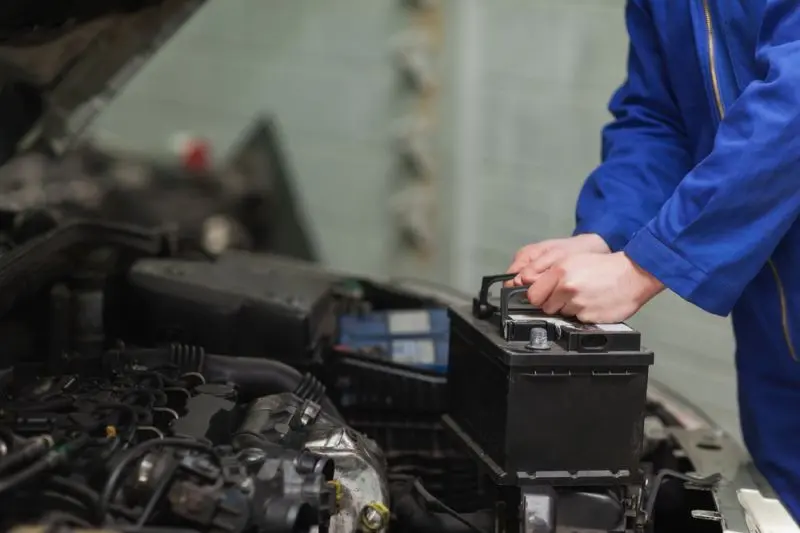
How to Change a Car Battery Safely: A Step-by-Step Guide for Drivers in Chicago, IL
Introduction: Why Knowing How to Change a Car Battery Matters
A car battery plays an essential role in keeping your vehicle running. It supplies the electrical power needed to start the engine and supports important systems such as interior lights, dashboard displays, power windows, and electronic accessories.
However, like other vehicle components, a battery does not last forever. If your car starts slowly, your headlights appear dim, or you repeatedly need a jump-start, your battery may be approaching the end of its useful life.
Knowing how to change a car battery safely can help you understand basic vehicle maintenance, recognize when a replacement is necessary, and avoid common mistakes. Whether you are an experienced driver or a first-time car owner, following the correct procedure is important.
In this guide, Your Choice Autos explains how to recognize battery problems, prepare for replacement, disconnect and install a battery safely, and know when professional assistance is the better option.
Signs Your Car Battery May Need Replacement
Before replacing your battery, make sure it is actually the source of the problem. Several warning signs can indicate that your battery is weakening.
1. Slow Engine Cranking
If your engine takes longer than usual to start, the battery may not be delivering enough power to the starter. A slow or struggling start is one of the most common signs of a weak battery.
2. Dim Headlights and Interior Lights
A weakening battery may affect electrical performance, especially when the engine is off. If your headlights or interior lights appear unusually dim, consider having the battery and charging system tested.
3. Clicking Sounds When Starting
Hearing a clicking noise when turning the key or pressing the start button can indicate insufficient electrical power. However, starter and electrical-system problems can produce similar symptoms.
4. Battery Warning Light
If the battery-shaped warning light appears on your dashboard, it may indicate a problem with the charging system rather than the battery alone. The alternator, wiring, or connections could also be responsible.
5. Visible Corrosion or Battery Damage
White, blue, or greenish buildup around battery terminals may interfere with electrical connections. A swollen, cracked, leaking, or otherwise damaged battery should not be handled as an ordinary DIY replacement.
If you notice these signs, have the battery and charging system tested before purchasing a replacement.
Tools and Safety Equipment You Need
Before changing a conventional 12-volt car battery, gather the appropriate tools and protective equipment.
Essential equipment includes:
- Safety glasses or protective goggles
- Acid-resistant or suitable protective gloves
- Correct-size socket wrench or spanner
- Battery terminal cleaning brush
- Battery terminal protection product, if recommended
- A replacement battery that matches the vehicle's specifications
You may also need a memory saver for certain vehicles to preserve electronic settings during battery replacement. Follow the vehicle manufacturer's instructions before using one.
Important Safety Precautions
Car batteries contain hazardous materials and can produce dangerous electrical currents. Improper handling can cause burns, sparks, short circuits, or battery damage.
Before starting:
- Park on a level surface in a well-ventilated area.
- Turn off the engine, ignition, lights, and electrical accessories.
- Remove the key or keep the key fob away from the vehicle.
- Keep cigarettes, flames, and sparks away from the battery.
- Remove rings, watches, bracelets, and other metal jewelry.
- Never allow a metal tool to touch both battery terminals or bridge a terminal to the vehicle body.
- Never attempt to open or repair a sealed battery.
If the battery is leaking, swollen, frozen, or damaged, do not attempt a DIY replacement. Seek professional assistance.
How to Change a Car Battery Safely: Step-by-Step Instructions
The following procedure applies to many conventional vehicles with an accessible 12-volt battery. Always consult your owner's manual because battery locations, mounting systems, and replacement procedures can differ.
Step 1: Locate the Battery
Open the hood and identify the battery. In many vehicles, it is located in the engine compartment, although some models place it in the trunk or under a seat.
Look for the positive (+) and negative (−) markings on the battery.
- The positive terminal is usually marked with a plus sign and often has a red cover.
- The negative terminal is marked with a minus sign and is commonly connected to a black cable.
Do not rely on cable color alone. Check the markings before touching either terminal.
Step 2: Disconnect the Negative Terminal First
This is one of the most important safety steps.
Use the appropriate wrench to loosen the nut on the negative (−) terminal. Carefully remove the negative cable and position it so it cannot accidentally touch the battery post again.
Why disconnect the negative terminal first?
The negative terminal is connected to the vehicle's electrical ground. Removing it first reduces the risk of an accidental short circuit if your tool touches the vehicle's metal body while working around the positive terminal.
Step 3: Disconnect the Positive Terminal
After removing the negative cable, loosen the positive (+) terminal connection.
Carefully lift the positive cable away from the battery and keep it separated from metal surfaces.
Avoid allowing your wrench to touch both the positive terminal and the vehicle body.
Step 4: Remove the Battery Hold-Down Bracket
Most vehicle batteries are secured with a bracket, clamp, or retaining strap to prevent movement while driving.
Locate the securing hardware and remove it according to the manufacturer's instructions.
Keep the bolts and brackets in a safe place because you will need them to secure the replacement battery.
Step 5: Carefully Remove the Old Battery
Once both terminals and the hold-down bracket have been removed, lift the battery out of its tray.
Car batteries can be surprisingly heavy, so use both hands and lift with care. Keep the battery upright and avoid tilting it.
If it is difficult to remove or positioned in a restricted area, do not force it. A professional can help prevent damage to surrounding components.
Step 6: Check the Battery Tray and Terminals
Before installing the replacement, inspect the battery tray, cables, and terminal clamps.
Look for:
- Corrosion around the terminal connections
- Damaged or loose cables
- Cracks or deterioration in the battery tray
- Rust or damage around the hold-down bracket
If corrosion is present, use an appropriate battery-terminal cleaning product and protective equipment. Follow its instructions and make sure everything is dry before installing the replacement.
Do not allow cleaning solution to enter the battery.
Step 7: Install the Correct Replacement Battery
Choosing the correct battery is just as important as installing it properly.
Check your owner's manual or manufacturer specifications for:
- Battery group size and dimensions
- Required cold-cranking amps (CCA)
- Correct voltage and terminal arrangement
- Required battery technology, such as conventional flooded, AGM, or EFB
Place the new battery in the tray in the correct orientation. Make sure it sits flat and does not interfere with surrounding components.
Reinstall the hold-down bracket and secure the battery firmly without overtightening.
Step 8: Reconnect the Positive Terminal First
When installing a battery, reconnect the terminals in the reverse order of removal.
Start with the positive (+) terminal. Position the clamp correctly and tighten it according to the manufacturer's specifications.
Then reconnect the negative (−) terminal and secure it.
The correct sequence is:
- Removal: Negative first, positive second.
- Installation: Positive first, negative second.
This order helps reduce the risk of accidental short circuits.
Step 9: Check the Connections and Start the Vehicle
Before closing the hood, make sure:
- Both terminal clamps are secure.
- The battery is firmly held in place.
- No tools or loose hardware remain near the battery.
- All covers and protective components have been reinstalled.
Start the vehicle and check whether it operates normally. Some vehicles may require clock, radio, window, steering, or other electronic settings to be reset.
If warning lights remain on, the vehicle does not start properly, or electrical systems behave unusually, have it inspected rather than assuming the new battery is faulty.
Common Mistakes to Avoid When Changing a Car Battery
Even a straightforward battery replacement can become dangerous if the procedure is rushed.
Here are some mistakes to avoid:
Disconnecting the positive terminal first: Always disconnect the negative terminal first on a conventional negative-ground vehicle.
Installing the wrong battery: A battery with unsuitable dimensions, specifications, or technology can cause starting and electrical problems.
Leaving the battery unsecured: A battery that moves while driving can damage its connections or surrounding components.
Ignoring corrosion: Corroded terminals can interfere with electrical connections and affect starting performance.
Forgetting the correct reconnection order: Connect the positive terminal first and the negative terminal second.
Disposing of the old battery improperly: Lead-acid batteries contain hazardous materials and should be taken to an appropriate battery recycling facility or retailer.
When Should You Avoid Changing a Car Battery Yourself?
Not every vehicle uses a simple battery replacement procedure. Modern cars contain electronic systems that may require additional steps.
Consider professional assistance if:
- Your vehicle requires battery registration or battery-management-system programming.
- It has an automatic start-stop system with specific battery requirements.
- The battery is difficult to access or requires removing other components.
- You notice leaking, swelling, cracks, or other physical battery damage.
- You are unfamiliar with electrical connections or do not have the correct tools.
Special warning for hybrid and electric vehicles: High-voltage systems can be extremely dangerous. Never attempt to disconnect orange high-voltage cables or service the high-voltage battery yourself. Even a 12-volt battery replacement may require model-specific procedures. Consult a qualified technician and follow the manufacturer's instructions.
How to Make Your Car Battery Last Longer
Replacing a battery can be an unexpected expense, but good maintenance habits may help extend its service life.
Keep Battery Terminals Clean
Inspect the terminals periodically for corrosion or loose connections. Address buildup using appropriate cleaning products and safety precautions.
Avoid Leaving Electrical Accessories On
Leaving headlights, interior lights, or other electrical accessories running while the engine is off can drain the battery.
Drive Your Vehicle Regularly
Long periods without driving can contribute to battery discharge. If your vehicle will be stored for an extended period, follow the manufacturer's battery-maintenance recommendations.
Check the Charging System
A faulty alternator or charging system can cause repeated battery problems. If a replacement battery keeps losing power, have the entire charging system inspected.
Test the Battery Periodically
Battery testing can help identify weakening performance before the vehicle refuses to start. Consider testing it during routine maintenance, particularly before extreme seasonal temperatures.
Why Choose Your Choice Autos When Shopping for Your Next Vehicle?
Understanding basic car maintenance is important, but choosing the right vehicle from the beginning also matters. When shopping for your next used car, you want a dealership that provides vehicle options, financing resources, and convenient purchasing services.
Your Choice Autos offers several benefits to make the buying process more straightforward.
Financing Through Outside Lenders
Your Choice Autos works with outside lenders to provide financing options for a wide range of credit situations. Financing is subject to lender approval and individual qualifications.
You can also explore online pre-qualification through Capital One using a soft inquiry, which does not impact your credit score.
Visit our online financing page to explore your options.
Browse Used Vehicles Online
You can explore available cars, SUVs, trucks, and vans before visiting a dealership. Compare vehicle details, pricing, mileage, and features to narrow down your choices.
Start browsing our used car inventory and find a vehicle that fits your needs.
Discounts for Teachers, Students, and Military Members
Your Choice Autos offers discount programs for eligible teachers, students, military members, and veterans.
If you qualify, visit our discount programs page to review the details and requirements.
Free Uber or Lyft Ride to the Dealership
Need transportation to visit us? Local shoppers can take advantage of a free Uber or Lyft ride to the store. Visit our free ride information page to learn how to arrange your ride.
Vehicle Shipping: Local and Nationwide
Found a vehicle you like but cannot visit the dealership in person? Your Choice Autos offers local and nationwide vehicle shipping options.
Learn more through our vehicle shipping page.
Trade In Your Current Vehicle or Sell It Outright
If you are planning to replace your current vehicle, Your Choice Autos accepts trade-ins. You can also sell your car outright without purchasing another vehicle.
Get started through our trade-in page or sell your car page.
Optional Vehicle Protection Plans
Additional protection plans are available for purchase at the time of sale. Depending on the vehicle and plan, options may include coverage for certain mechanical components and other vehicle-related protections.
Explore available options on our vehicle protection plans page.
Return and Exchange Policy
Your Choice Autos has a return and exchange policy for qualifying vehicles, subject to conditions and exclusions. Before purchasing, see our return policy for details.
Visit Your Choice Autos at All Four Locations in Chicago, IL
Your Choice Autos makes it convenient to shop for a used vehicle at any of its four dealership locations:
- Joliet, IL
- Waukegan, IL
- Elgin, IL
- Crestwood, IL
You can browse the online inventory, compare available vehicles, and contact the dealership to confirm a vehicle's location and availability before visiting.
Final Thoughts: Take Care of Your Battery and Choose Your Next Vehicle with Confidence
Knowing how to change a car battery safely can help you understand an important part of vehicle ownership. By recognizing warning signs, using the correct tools, disconnecting the negative terminal first, and reconnecting the positive terminal first, you can better understand the replacement process for many conventional vehicles.
However, modern vehicles may require specialized procedures, and professional assistance is the safer choice whenever you are unsure.
When it is time to shop for your next vehicle, Your Choice Autos offers used cars, SUVs, trucks, and vans along with financing resources, trade-in opportunities, shipping, optional protection plans, and convenient services.
Ready to find your next vehicle? Explore the Your Choice Autos inventory, compare available options, and visit us in Joliet, Waukegan, Elgin, or Crestwood, IL.